Help
Open Help
Help is an area of Settings. It summarizes this manual in short topics.
You open Help at any time, without leaving the app.
- Click your name, at the end of the list of conversations.
- In the menu that opens, click Settings.
- In the menu on the left side, click Help.
Find the Help item in the side menu
The Help item is the last one in the menu on the left side, below Privacy.
The Account chapter shows the whole side menu.
Choose a topic
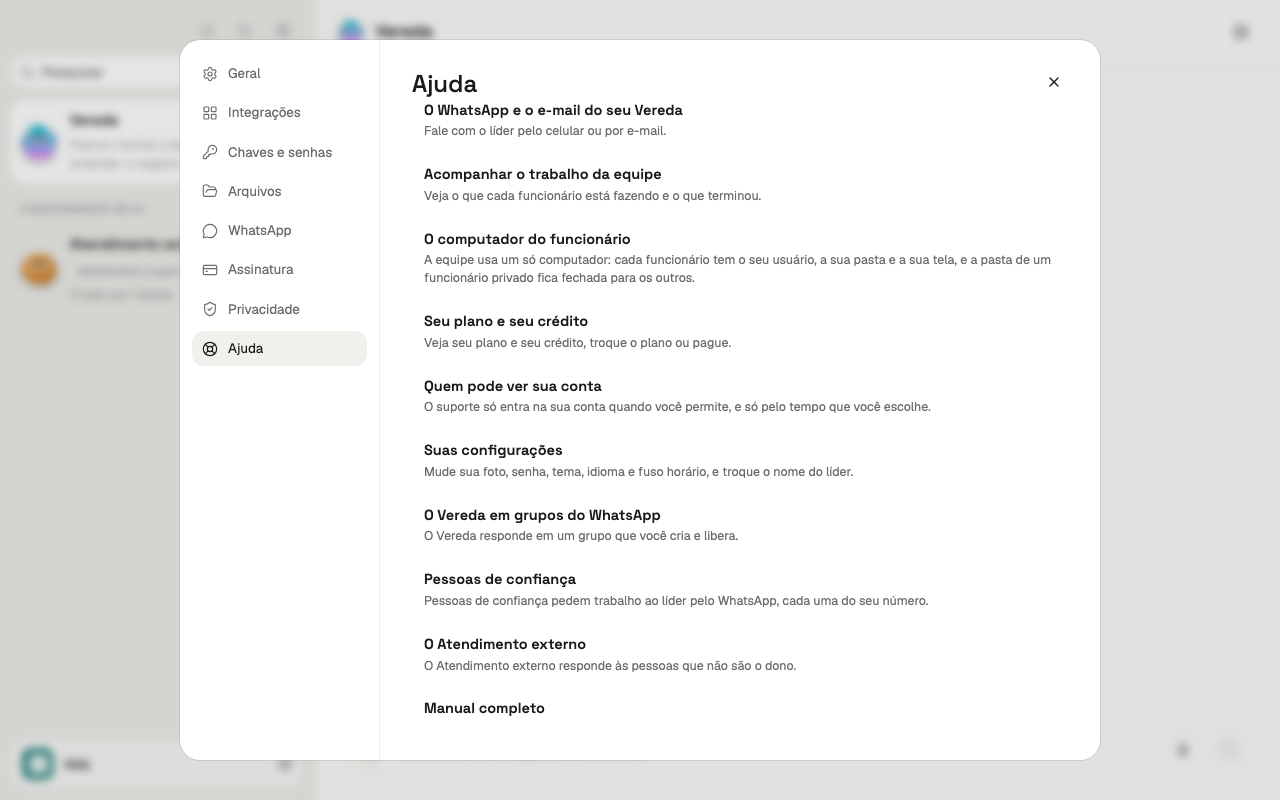
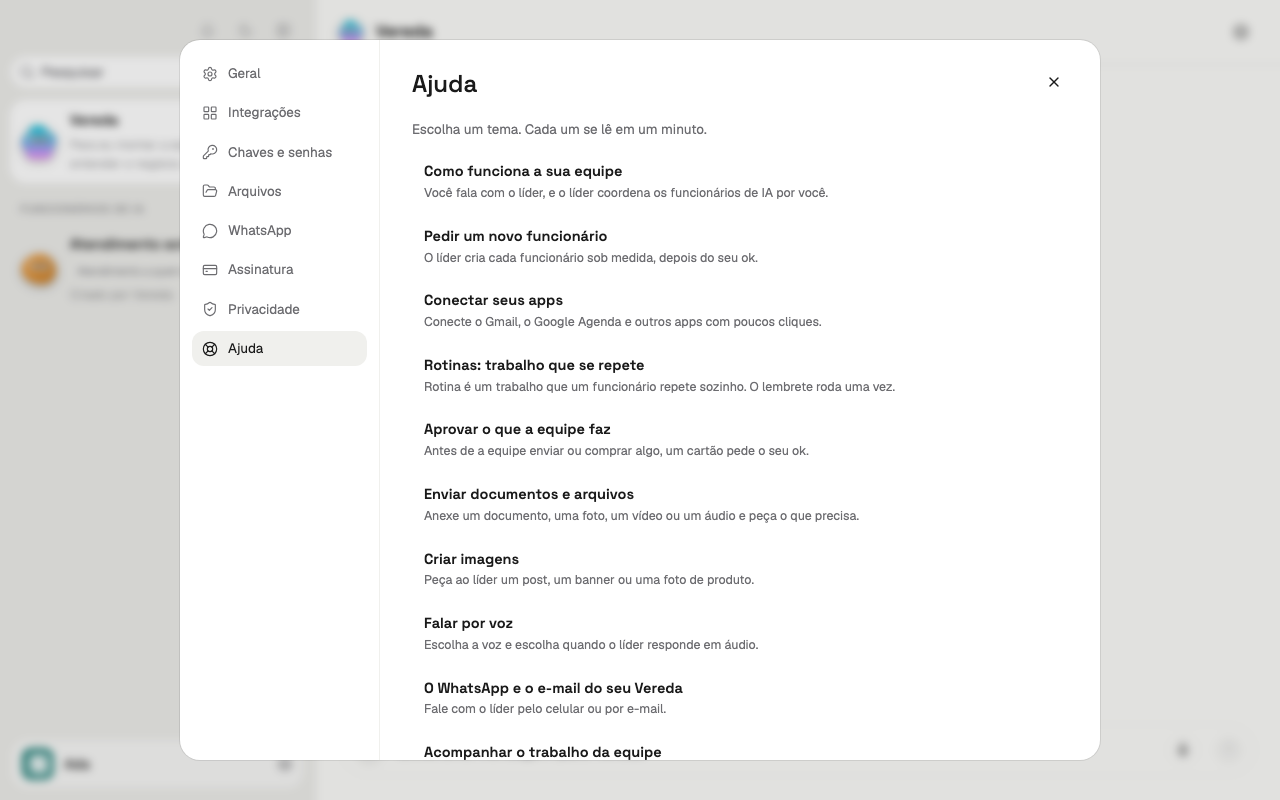
Help opens on the list of topics. Each topic has a title and a sentence that summarizes the topic.
Each topic summarizes one or more chapters of this manual. The list has one row per topic.
If the list does not fit on the screen, scroll the panel to see the other topics.
- Read the titles in the list.
- Click the row of the topic you want.
Read a topic
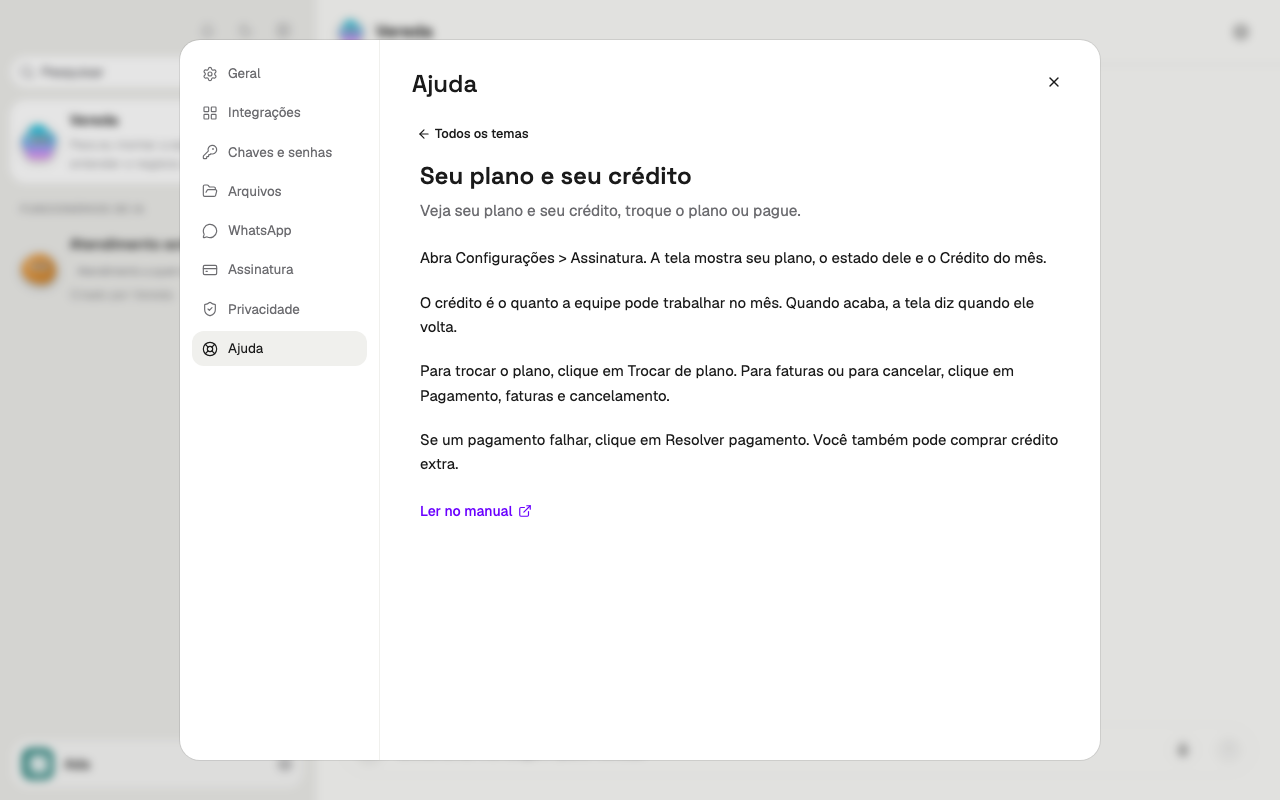
The topic opens in place of the list. It has the title, the summary, the steps and some examples.
The examples show real parts of the app, with sample data. They do not react to clicks.
To go back to the list, click All topics, at the top of the topic.
- In the list, click the topic.
- Read the text of the topic.
- Click All topics to go back to the list.
Open the chapter of a topic in the manual
The topic is a summary. The manual chapter has the detail of each task.
At the end of each topic is the Read in the manual link. The link opens the chapter of the topic in a new tab.
Vereda stays open in the previous tab. The manual opens in your language.
- Open a topic.
- At the end of the topic, click Read in the manual.
Open the full manual
The Full manual link is at the end of the list of topics, after the last topic.
The link opens https://vereda.bot/en/docs/ in a new tab. There you find all the chapters.
Use the link when no topic answers your question.
- In the list of topics, scroll the panel to the end.
- Click Full manual.